
Changeover inspections
Room by room, with photos, damage reports and a record of who was there.
Basisa · Hlayisa Ndhawu, “look after the place”
Room checks after every checkout, repairs that actually get done, and a live room board for the front desk. Your managers, housekeepers and maintenance team see the same picture, the moment it happens.
Changeover inspections, maintenance and the owner roster for timeshare resorts. Your team, your owners and your front desk see the same picture, the moment it happens.
Inspections, maintenance and resident reports for game farms and residential estates, with farm, safety and community add-ons when you need them.
Live demo This phone really works. Try it
Best on a laptop or desktop. The demo works here too, but it’s easier to explore on a bigger screen.
A simplified demo with sample data. The full app does much more.
Why it pays for itself
Why change
Most properties run on WhatsApp groups, clipboards and spreadsheets. Here is what changes.
The platform
One app for the people on the ground, one website for the desk. Everyone sees the same picture, as it happens.
From a six-unit lodge to a sixty-unit, multi-site portfolio or a whole farm. Switch between properties in one tap, or see them all together.
Administrator, manager, housekeeping, maintenance, owner and resident roles, each seeing only what they need. Someone can even hold a different role at each property.
Big buttons for gloved hands, one item at a time, photos on every damage report.
Setup, data migration and onboarding, so properties and people are loaded before anyone joins.
Room by room, with photos, damage reports and a record of who was there.
Damage reports become assignable jobs, tracked from reported to verified and closed.
Send a job to your plumber or electrician, whether they work alone or run a company with a team. They see the photos and directions, accept, give an ETA and a quote, and mark it done, on a private link or in their own app. You approve the price and see every step on the job card.
Switch between your properties, or see them all together. Each has its own profile, setup checklist, people, alerts and rules, and follows your company defaults until you change it.
The front desk sees which rooms are dirty, being cleaned and ready for check-in, without picking up the phone.
Property condition, report tracking and a live timeshare roster with week swaps. Owners can also read finished inspections with their photos, and see and assign issues too if you allow it, person by person.
Anyone can report what they see. Management is told straight away and the reporter sees every update. The form is yours to build: add your own questions, reword the choices, and decide what is required.
Want damage alerts by email too? Available as a paid add-on. WhatsApp can be added on request.
A dashboard for the desk: what is ready, what is waiting on a repair and what needs attention.
The right person hears about the right thing, from a critical repair to a room that’s ready.
Fully customisable
Basisa bends to how your lodge already works, not the other way round. And when you need something more, we build it for you. Tell us what you need.
See it in action
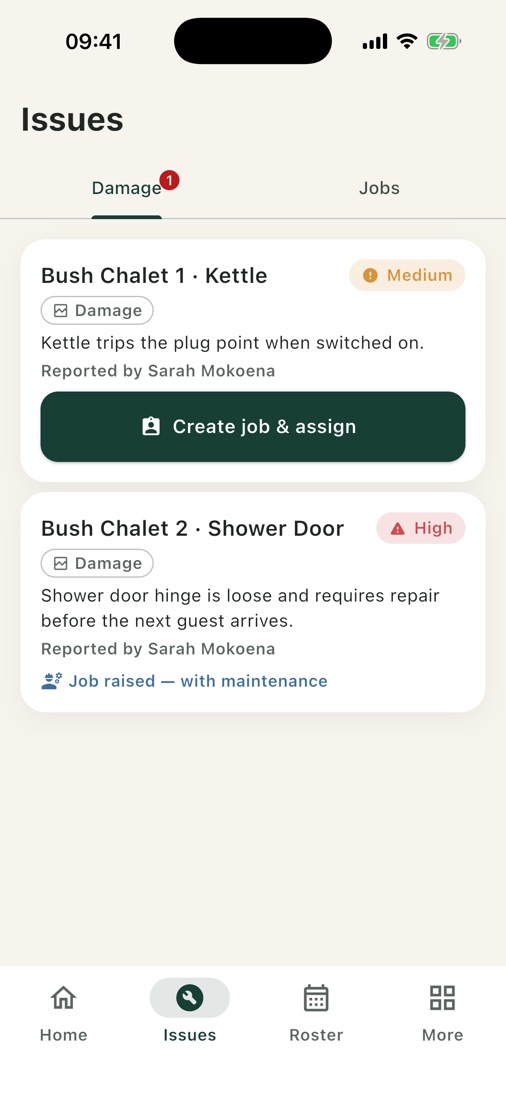
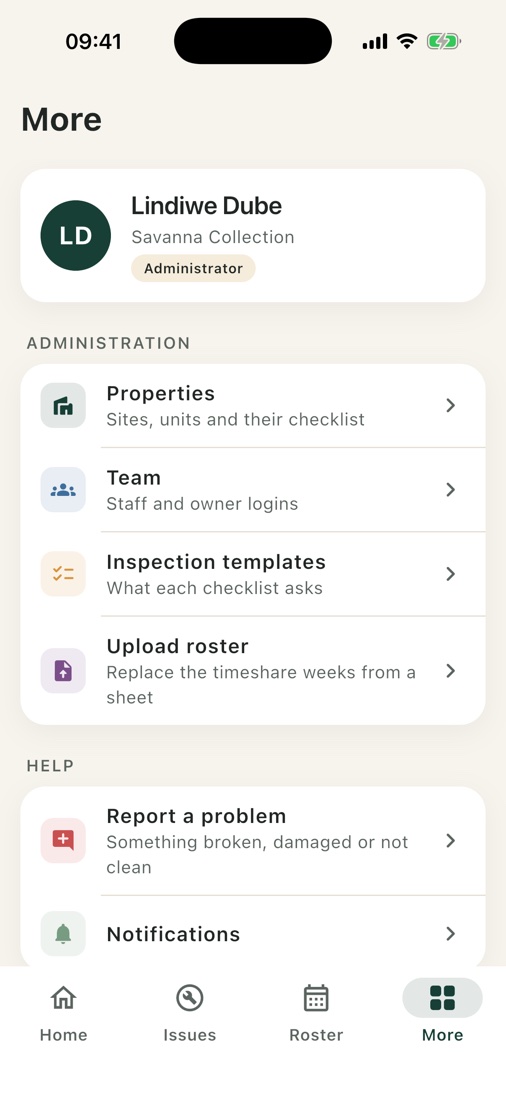
Everything an admin needs to set up and run a portfolio lives in the app and on the admin website, not in spreadsheets or support tickets.
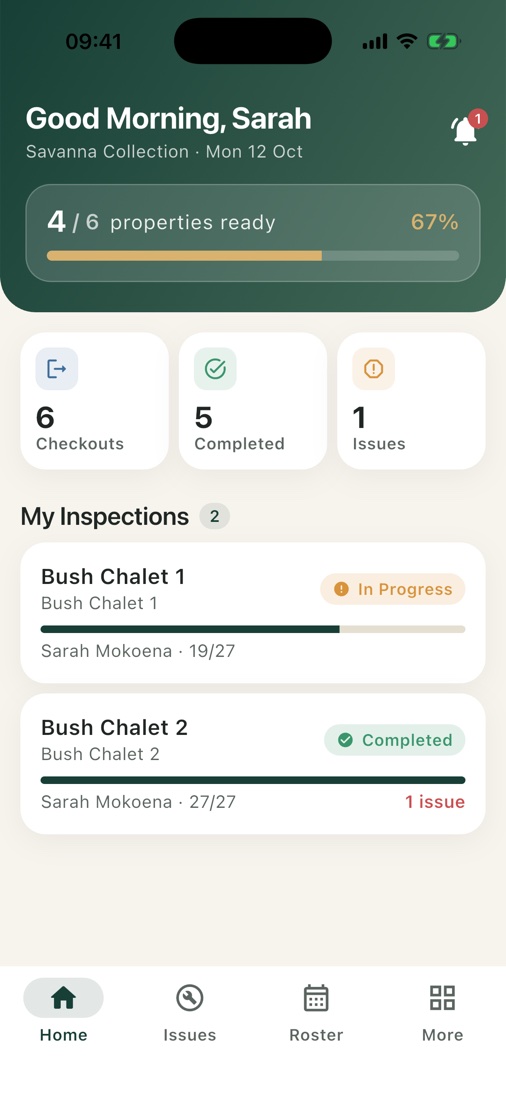
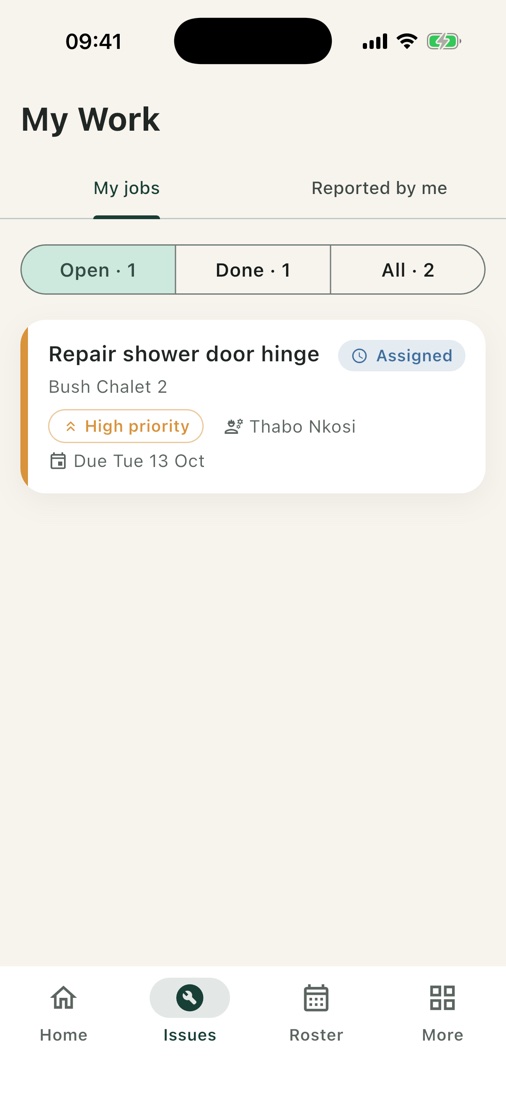
The team on the ground sees today’s work the moment they open the app, and inspects a unit item by item.
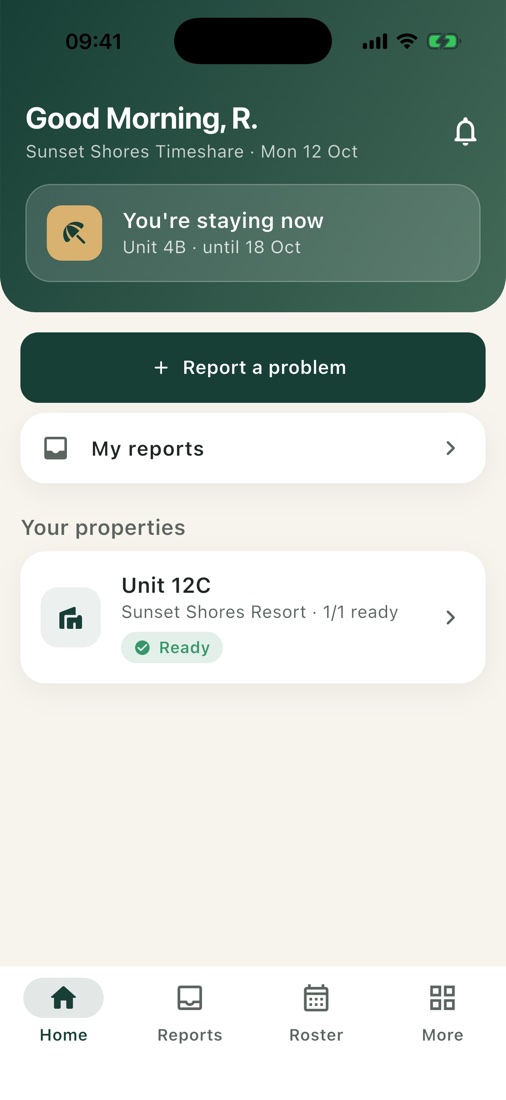
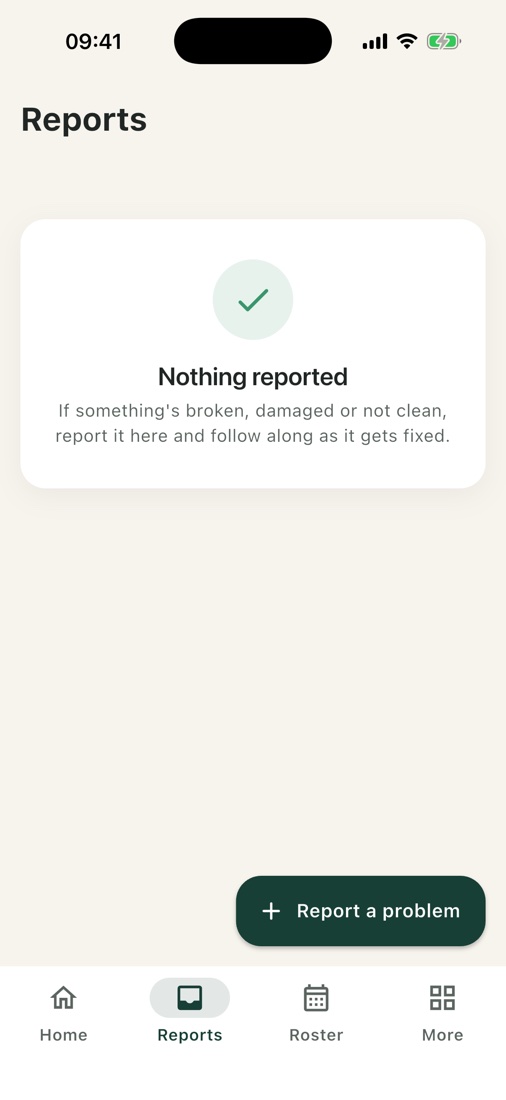
Owners and residents see how their property is doing, when their next stay is, and every problem they’ve reported.
From report to repair
From the first report to a checked repair, everyone who needs to know is told at the right moment.
A housekeeper or anyone on the teamAn owner or staff memberA resident or staff member reports it with a photo and where it is.
ReportedThe manager and admin are notified at once in the app, or by email with the alerts add-on.
ReportedAcknowledges, sets priority and assigns a technician, or sends it to your plumber or electrician by WhatsApp, text, email or the Basisa app.
AcknowledgedThe technician or contractor adds notes, photos, an ETA and a quote as the work moves. You approve the price before they start.
In progressManagement checks the repair. The reporter is told it is fixed.
CompletedTimeshare roster
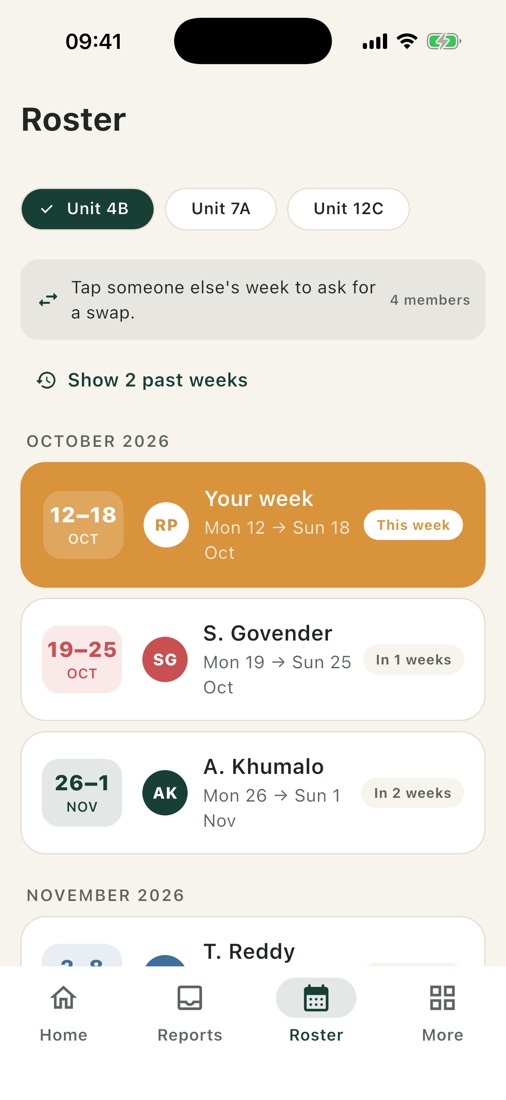
Weeks run Monday to Sunday, colour-coded per member, with “This week” called out.
Choose which of your own weeks to offer.
They accept or decline from their own roster, and it updates at once.
Paste next year’s schedule or upload a PDF calendar.
Add-on Lodge Housekeeping module
Plan the day’s cleaning list, assign your housekeepers, and your front desk sees every room live and is told the moment one is ready. No more “is room 4 done yet?”
Best on a laptop or desktop. The demo works here too, but it’s easier to explore on a bigger screen.
Interactive preview with sample rooms. Tap a room to move it along, or press Play the day. Switch between Rooms, By status, By housekeeper, Lodge map and Timeline to see the same day five ways. Views, room statuses and checklists are fully customisable to how your lodge works.
Paste each room’s calendar link from Airbnb, Booking.com or similar. A room whose guest leaves today starts the day dirty, and a same-day arrival goes to the top. It reads dates only, not guest details.
A room only turns Ready after a final check with photos. Small lodge with no supervisor? Switch the check off.
Anything found while cleaning becomes a maintenance job, and the room is blocked until it’s done.
Rooms with a guest leaving and another arriving go to the top. Early check-in and late checkout are one tap from the desk.
Housekeepers flag low linen and amenities in two taps. You get a restock alert before a guest notices.
Average clean times per room type show how many people you really need on a busy Saturday.
Items are photographed and logged on the spot, so when a guest phones about a charger you have the answer.
Big buttons, one room at a time, works with gloves on. Guest names stay hidden from housekeepers.
Add-ons for lodges
Switch on only what your lodge needs. Every one below is ready now, and each can be turned on or off from the admin website at any time.
The admin website
Jobs, inspections and the staff rota, all in a browser. Click around.
Maintenance 6 open · 2 urgent
Sent to a contractor: Joe, the plumber, got the burst pipe by WhatsApp. He opened the link, accepted, gave an ETA of today and a quote of R850, and you can see each step on the job card.
Inspections Today · 5 done
| Room | Type | By | Time | Result |
|---|---|---|---|---|
| Marula | Checkout | P Precious | 10:02 | Passed |
| Baobab | Checkout | P Precious | 09:48 | 1 damage |
| Fish Eagle | Checkout | S Sarah | 09:30 | Passed |
| Impala | Checkout | S Sarah | 09:10 | 2 damage |
| Hornbill | Stay-over | N Nomsa | 08:45 | Passed |
Pick a row to see it as the housekeeper filled it in on their phone. Admins can open every inspection, and you choose which owners and managers can too, person by person.
Staff rota Week of 9 Nov · Main Lodge
| Mon 9 | Tue 10 | Wed 11 | Thu 12 | Fri 13 | Sat 14 | Sun 15 | Hours | |
|---|---|---|---|---|---|---|---|---|
| PreciousHousekeeping | 07:00–15:00 | 07:00–15:00 | Off | 07:00–15:00 | 07:00–15:00 | 08:00–14:00 | 38 h | |
| SarahHousekeeping | 07:00–15:00 | 07:00–15:00 | 07:00–15:00 | 08:00–14:00 | 08:00–14:00 | 36 h | ||
| NomsaFront desk | 06:00–14:00 | 06:00–14:00 | 14:00–22:00 | 14:00–22:00 | 14:00–22:00 | 40 h | ||
| ThaboMaintenance | 08:00–16:30 | 08:00–16:30 | 08:00–16:30 | 08:00–16:30 | 08:00–16:30 | 42.5 h | ||
| JosephNight security | 22:00–06:00 | 22:00–06:00 | 22:00–06:00 | 22:00–06:00 | 22:00–06:00 | Off | 40 h |
Tap a day to add a shift, including night shifts and days off. Copy last week with one tap. Each person is told on their phone when a shift is added or changed, and nobody can be put on two overlapping shifts.
Owner roster Unit 4B · 2026
| Week | Owner | Unit | Status |
|---|---|---|---|
| 12–18 Oct | R R. Pillay | Unit 4B | Confirmed |
| 19–25 Oct | S S. Govender | Unit 4B | Swap pending |
| 26 Oct–1 Nov | A A. Khumalo | Unit 4B | Confirmed |
| 2–8 Nov | T T. Reddy | Unit 4B | Confirmed |
| 9–15 Nov | M M. Naidoo | Unit 4B | Confirmed |
Paste next year’s schedule or upload a PDF calendar.
Add-on Staff rota
Who works when, across your properties, planned on the admin website and read on every phone. Click the Staff rota tab in the window above to see it.
Add-on Contractors
Add your contractors once, whether they work alone or run a company with a team. Send them a job, agree the price, see when they arrive and check the work before you sign it off. They can use a private link on any phone, or sign in to the Basisa app.
Ask about contractor dispatch · Download the walk-through (PDF)
Add-ons For game farms & estates
Add-ons on top of the core app. Contacts, notices, visitors, the farm assets list with a map on the admin website, emergency SOS, the community board, polls, the staff rota, contractor dispatch, meter readings, equipment and vehicles, the incident log, the key register, wildlife sightings, fuel and patrol logs, deliveries, purchase requests and licences are all ready now. Switch on only what you need.
Built for the field
Bush lodges, farms and estates do not always have good signal. Basisa is made for that.
Getting started
You do not need to be technical. We do the loading, you do the running.
Try the numbers
Put in your own figures. This is a simple illustration from the numbers you enter, not a promise of savings.
Private by design
Your property holds people’s details: owners, staff, guests and security reports. Basisa keeps them safe and shares them only with the people who need them.
Pricing
One core app, basic add-ons free, and you only pay for the extras you choose. Every lodge is different, so we quote for yours.
Price on request + R2 000 once-off setup per property, incl. VAT
R0 extra
Quoted per add-on
Contact us for pricing. No obligation, and we’ll quote for your property and walk you through the app.
Get a quoteQuestions
Lodges, timeshare resorts, farms and residential estates: anywhere a team has to keep properties ready and keep owners and residents informed.
No. We do the setup, data migration and onboarding for a once-off fee of R2 000 per property (incl. VAT), so your properties, team and owners are loaded before anyone signs in.
Yes. Admins build templates section by section and choose the answer type for each item: a condition check, yes/no, a 1–5 rating, a pick-list, choose-several, a number (with a unit such as °C or kWh), a date, a time, a location, a phone number, a note or a photo. You can also build your own reusable question types, and the Report a problem form is built the same way.
Yes. Import the roster from a CSV or a PDF calendar, check the preview, and confirm. Owners see their weeks straight away.
Yes. Job types, inspection templates, room statuses, who gets which alert and views are all customisable, and each property can override the company defaults. If you need something it doesn’t do yet, we can build it as a custom add-on.
The core app is priced for the size of your property, plus a once-off setup fee of R2 000 per property, incl. VAT. Basic add-ons like offline use, overdue-work alerts, contacts and notices are free. Paid and custom add-ons, such as WhatsApp alerts or the housekeeping room board, are quoted separately. Contact us for pricing and we’ll come back with a price.
Yes, as a paid add-on. Every report already reaches the right people in the app. With the alerts add-on, managers can also get damage reports by email, with the room and how serious it is. WhatsApp can be added on request.
Yes, with the contractor dispatch add-on. Add your contractors once, then send any job to one of them by WhatsApp, text message, email or link, from the job card or while you create the job. They see the job, photos and directions, accept or decline, give an ETA and a quote, add photos and mark it done. You approve or turn down the price, see each step on the job card, and are told if nobody answers. Sending by WhatsApp opens WhatsApp with the message ready for you to press send, or sends it for you once your WhatsApp number is connected and the contractor has agreed to it.
No. Every job comes with a private link that works in any phone browser, with no login. A contractor who wants more can sign in to the Basisa app with their cellphone number and a code we text them. They then see every job in one place, get a notification when one arrives, and choose the days they work and the days they are away. You can invite a contractor to the app from your contractors list.
Yes. A contractor signs in once with their cellphone number and sees the jobs from every company that has added them, each marked with who it is from. Each company only ever sees its own jobs and its own prices for that contractor.
Add them as a company with their team members. The company accepts the job and chooses who from their team comes. That person gets their own link, with the address, directions and access notes, but without your quote or the company's prices. You see who is coming, and when they say they are on the way and have arrived.
Yes. People with several properties switch between them in one tap, or see them all together. Each property has its own profile with a setup checklist, its own people, alert recipients, job types and room names, and follows your company defaults until you change it. Someone can hold a different role at each property, for example a housekeeper at one lodge who manages another. Taking someone off a property hands their open work to a colleague first.
Yes, with the staff rota add-on. A manager plans the week on the admin website: tap a day to add a shift, including night shifts and days off, and copy last week onto this one. Each person is told on their phone when a shift is added or changed and sees their own shifts under My shifts. Nobody can be put on two overlapping shifts, and a manager only plans the properties they look after.
With the email or the phone number the administrator gave them, and a password. Staff, owners and residents each see only what their role allows, and an administrator can change that person by person.
The admin website runs in any browser. It shows readiness, open reports and maintenance, and lets you open any inspection with its answers and photos.
Yes. Every organisation’s data is isolated, roles are enforced on the server, and important actions are written to an audit log.
Giving back
I’ve been part of building the Ingwe app since its early days. It’s made for the Ingwe Research Program, a South African non-profit company working to protect the country’s leopards. Working on it showed me how much lodges, guides and reserves can do when they have the right tool.
Ingwe turns guests’ and guides’ leopard sightings into real research: every photo helps identify individual cats and follow them over time. The app now uses AI to recognise leopards faster, and it’s the largest carnivore-focused citizen science project in the country.
Basisa comes from the same world, so it’s only right to give back. As Basisa grows, a portion of its income goes to the Ingwe Research Program. Every lodge that runs on Basisa helps keep leopards on the land around it.
— Founder, Basisa
Get started
Tell us a little about your property or community and we’ll set up a walkthrough and schedule onboarding.
admin@basisa.co.zaYou just ran a room check, a repair and a sign-off in a couple of minutes. Leave your details and we’ll show you Basisa set up with your own rooms and team.